> ## Documentation Index
> Fetch the complete documentation index at: https://docs.tqx.ai/llms.txt
> Use this file to discover all available pages before exploring further.
# Create a strategy
> Turn a trading idea or existing code into a versioned Qube strategy.
Before you create a strategy, decide the market, instruments or universe, entry and exit signals, position sizing, trading frequency, and risk constraints.
## Choose an entry point
### Start in chat
Describe the trading idea in plain language. Include the market and instrument, the signal, position size, holding rule, and whether you want a backtest. Qube can generate market-specific code and save the first version.
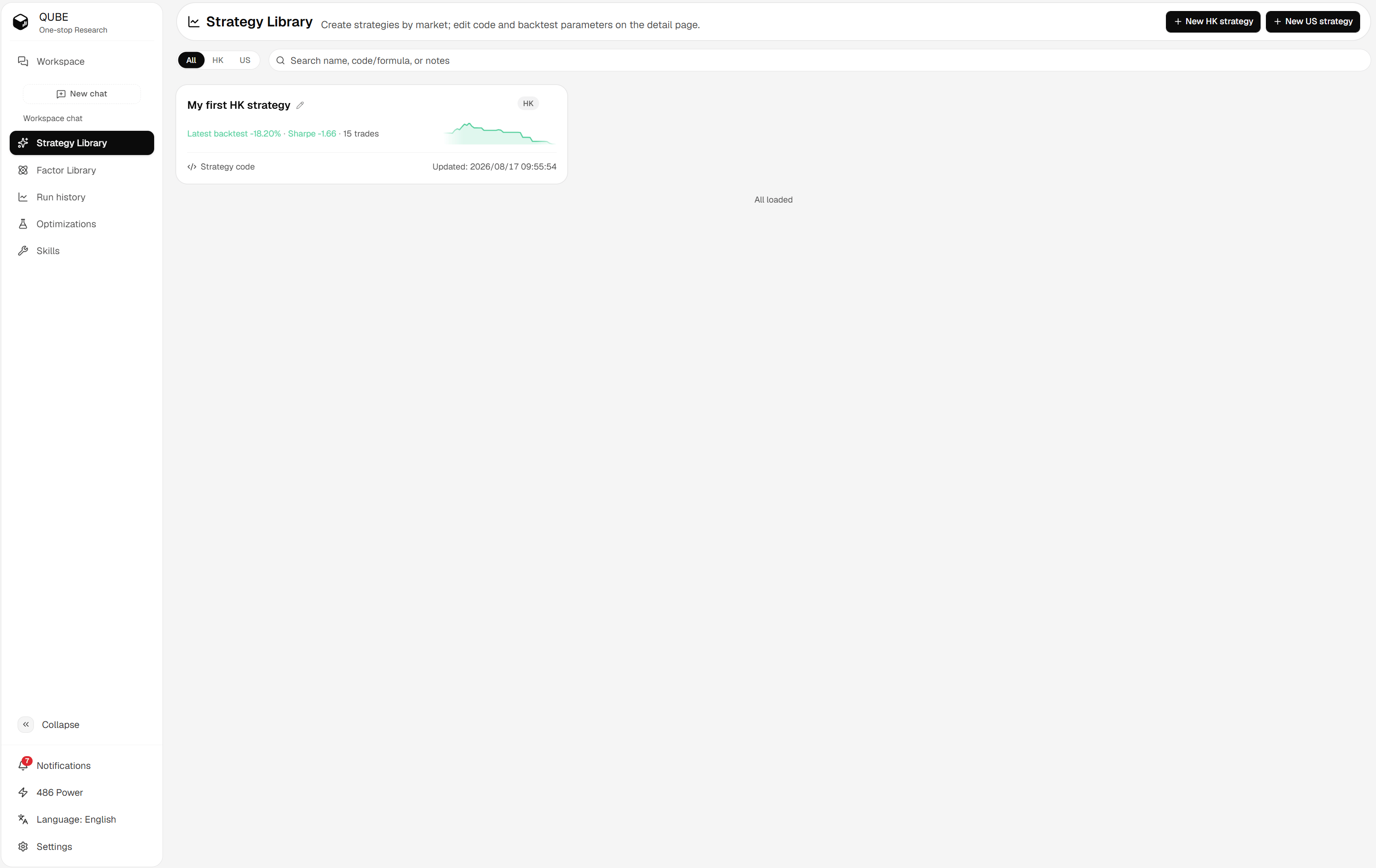
### Start in the Strategy Library
Open the Strategy Library, choose **+ HK strategy** or **+ US strategy**, then edit the description, code, and backtest parameters on the detail page. Saving creates a version when the code or saved parameters change.
 ### Start from a factor
From a factor analysis, ask Qube to turn the factor into a strategy. Qube first shows a proposal with the market and selection parameters. Confirm the proposal before the strategy is created. See [Turn a factor into a strategy](/research/strategy/factor-to-strategy).
## Create and review
State what creates an entry, what creates an exit, how much to hold, and what should happen when data or liquidity is unavailable.
Confirm the symbol format, market data source, frequency, order functions, and risk rules. Make sure the code does not use future data.
Save after reviewing both code and backtest parameters. Qube records the code and parameters together so you can reproduce the run.
Use the saved version as the source for the run. Read the metrics, equity curve, trades, and log before changing the strategy.
Creating a strategy does not prove that the strategy works. Treat the first version as a testable hypothesis and validate it with a backtest.
### Start from a factor
From a factor analysis, ask Qube to turn the factor into a strategy. Qube first shows a proposal with the market and selection parameters. Confirm the proposal before the strategy is created. See [Turn a factor into a strategy](/research/strategy/factor-to-strategy).
## Create and review
State what creates an entry, what creates an exit, how much to hold, and what should happen when data or liquidity is unavailable.
Confirm the symbol format, market data source, frequency, order functions, and risk rules. Make sure the code does not use future data.
Save after reviewing both code and backtest parameters. Qube records the code and parameters together so you can reproduce the run.
Use the saved version as the source for the run. Read the metrics, equity curve, trades, and log before changing the strategy.
Creating a strategy does not prove that the strategy works. Treat the first version as a testable hypothesis and validate it with a backtest.